Overview
The Entity Share Button lets you generate a direct access link to a specific entity — Ticket, Video Session, Task, Device or Code — and share it as a URL or QR code.
You can choose between a temporary (30-minute time-limited) link or a permanent link, depending on your use case and security requirements.
Where you find it
- Tickets: Ticket Details View
- Video Sessions: Video Session Details View
- Tasks: Task Details View
- Devices: Device Details View
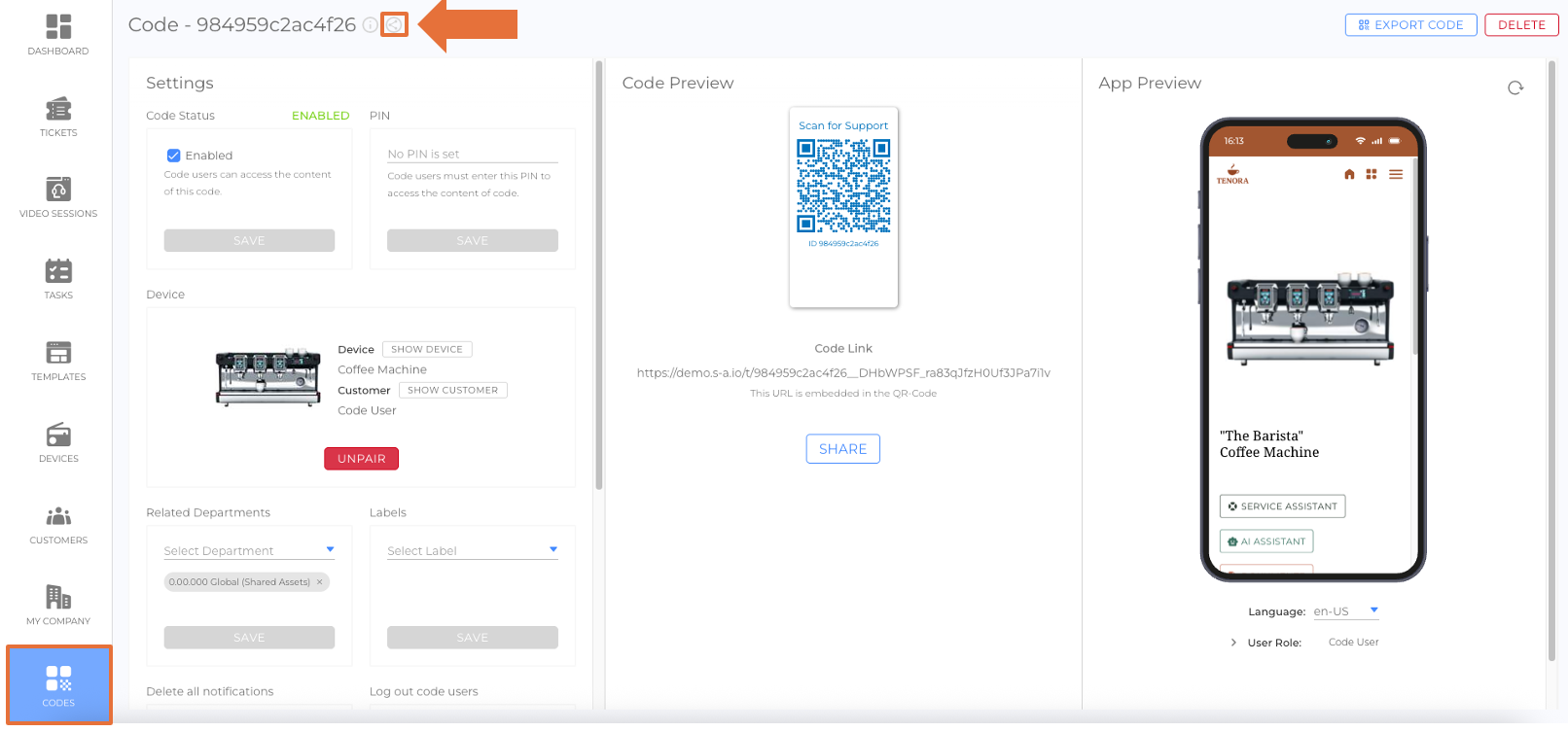
- Codes: Code Details View
How to use
- Open the entity’s details view (Ticket, Video Session, Task, Device, or Code).
- Click the Share icon.
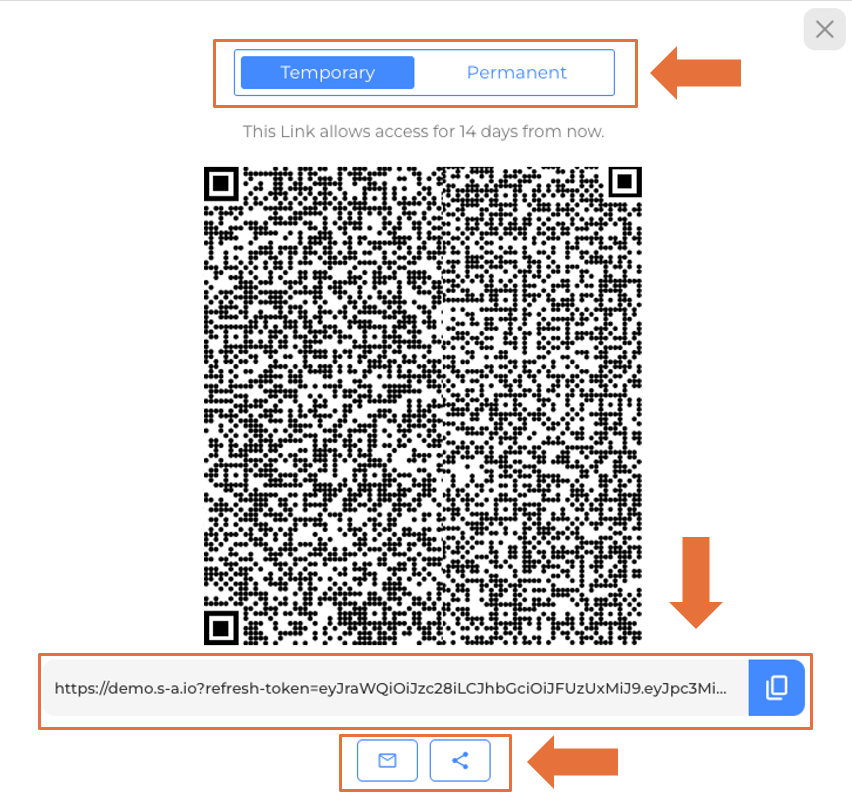
- Select the access type:
- Temporary (30 minutes) – ideal for ad-hoc collaboration or support.
- Permanent – for long-term sharing (only if appropriate and allowed by policy).
- Choose the format:
- URL – copy the link to share via email or messenger.
- QR code – download or display the QR code for quick scanning.
- Share the link/QR code with the intended recipients.
Permissions & visibility
- Access follows your platform’s permission model. Users must have sufficient rights to view the shared entity.
- Time-limited links automatically expire after 30 minutes.
- Permanent links remain valid until explicitly revoked or the entity’s access configuration changes.
Security best practices
- Use time-limited links for external or ad-hoc sharing.
- Revoke or rotate permanent links if recipients change or access should be withdrawn.
- Avoid posting links in public channels unless strictly necessary.
Revoking access
If your policy requires it, revoke a permanent link by removing or regenerating the share in the entity’s details view or by updating the entity’s access settings so the previously issued link becomes invalid.
Troubleshooting
- Recipient can’t open the link: Check if the link has expired (30-minute links), or verify the recipient’s permissions.
- QR code not scanning: Increase on-screen size/print quality or re-download the QR in a higher resolution.
- Opened to the wrong entity: Ensure the link was copied completely and not truncated by email/messenger.
Use cases
- Send a technician a time-limited link to a ticket with all details.
- Share a video session link with a partner for quick joining.
- Share a task link that needs attention and completion to an employee.
- Provide a device overview link to a customer success team.
- Embed a code QR on a label for instant access from the field.
Was this article helpful?
YesNo
 We use cookies on our website to give you the most relevant experience by remembering your preferences and repeat visits. By clicking “Accept All”, you consent to the use of ALL the cookies. However, you may visit "Cookie Settings" to provide a controlled consent.