Table Of Contents
Overview
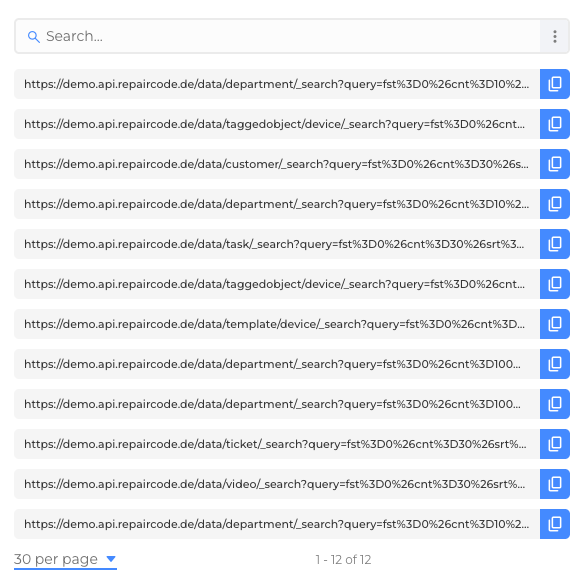
The Search Query Overview module displays all search queries performed since the application was loaded.
It is especially useful for analyzing search behavior, reproducing queries in the application, or reusing them in API calls and external tools.
How to open
- Open the Back Office client.
- Press the Shift Key and subsequently the ? key on your keyboard.
- The Search Query Overview panel opens, showing all queries executed during this session.
Features
- Chronological list of all search queries since application start.
- Copy to clipboard for direct reuse in API requests.
- Context information (e.g., which module the query was triggered from).
Use cases
- Debugging and refining complex searches.
- Reusing queries for API integrations with external tools.
- Training new employees by showing them how search works in practice.
Good to know
- The overview resets when the application is reloaded.
- Shortcuts must be enabled in your role settings to use the ? key.
- Queries are shown exactly as executed by the client, including filters and parameters.
Troubleshooting
- No queries shown: Ensure you have executed at least one search since loading the app.
- Shortcut not working: Check if keyboard shortcuts are enabled, or if the
?key is overridden by your browser/OS. - API request fails: Verify that the copied query is placed into the correct API endpoint and with proper authentication.
Was this article helpful?
YesNo
 We use cookies on our website to give you the most relevant experience by remembering your preferences and repeat visits. By clicking “Accept All”, you consent to the use of ALL the cookies. However, you may visit "Cookie Settings" to provide a controlled consent.