Definition
The application provides an easy and efficient way to translate content across the platform using the built-in translation feature.
Currently, the application supports DeepL and Google Translate as third-party translation services. To use either service, avalid API key must be provided.
Configuring the Translation API Key
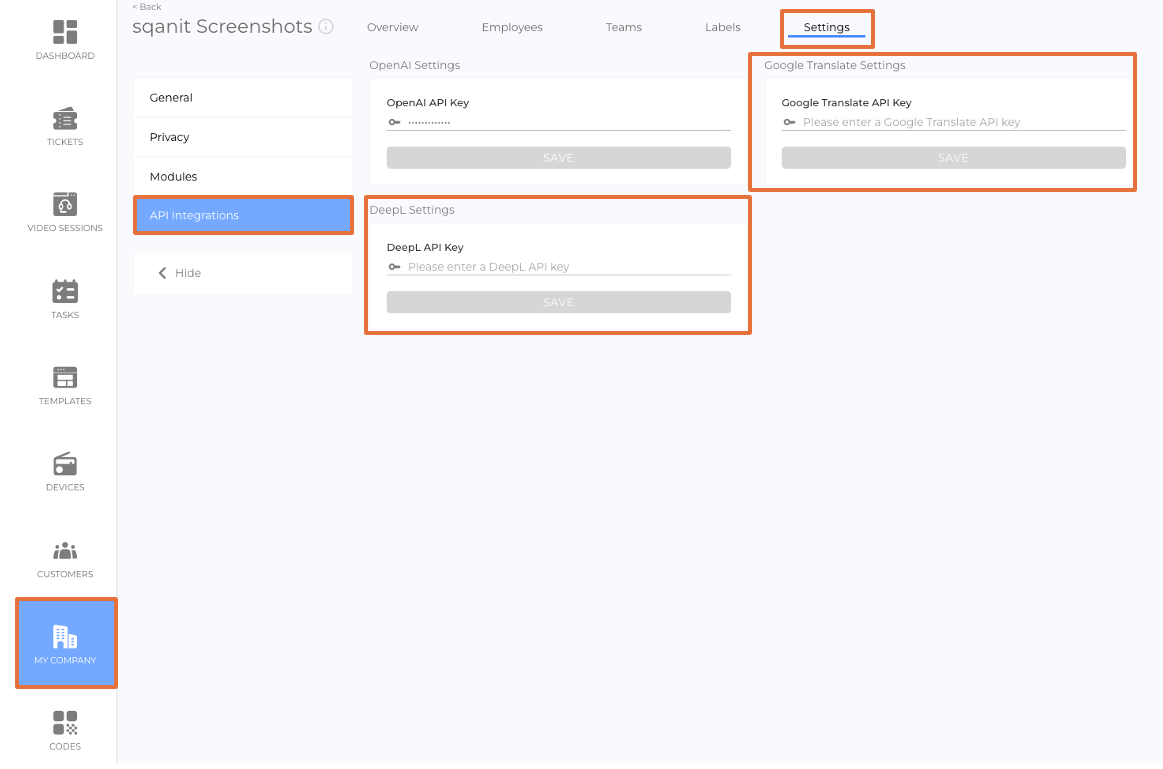
The API key can be configured in the company settings by following these steps:
- Click My Company in the side menu
- Select Settings from the header tab
- Click API Integrations
- Enter the API key for your chosen translation service
- Click Save
Modes of translation
Translations can be performed in General or Targeted mode.
General Translation Mode
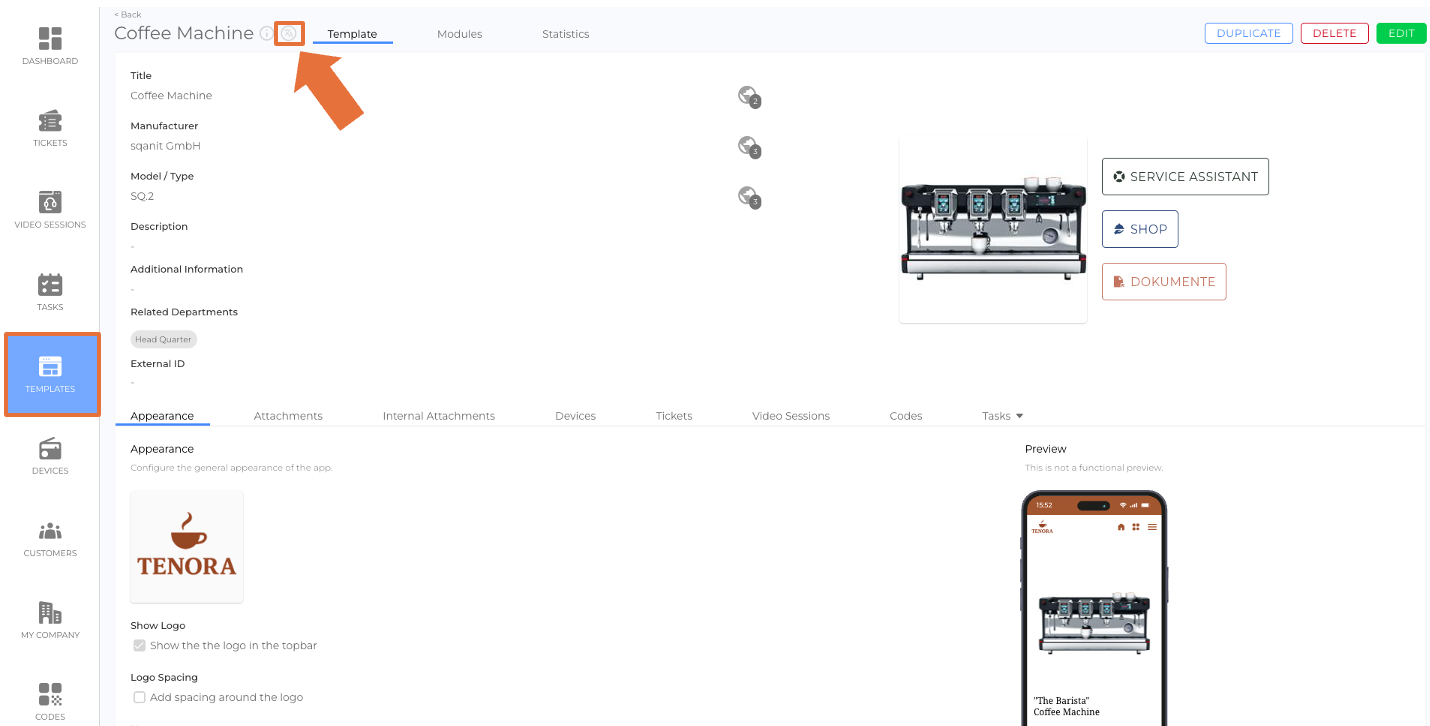
In General mode, translations are applied to multiple or all fields where translation is available.
This mode is accessible when the view is in non-edit mode.
Targeted Translation Mode
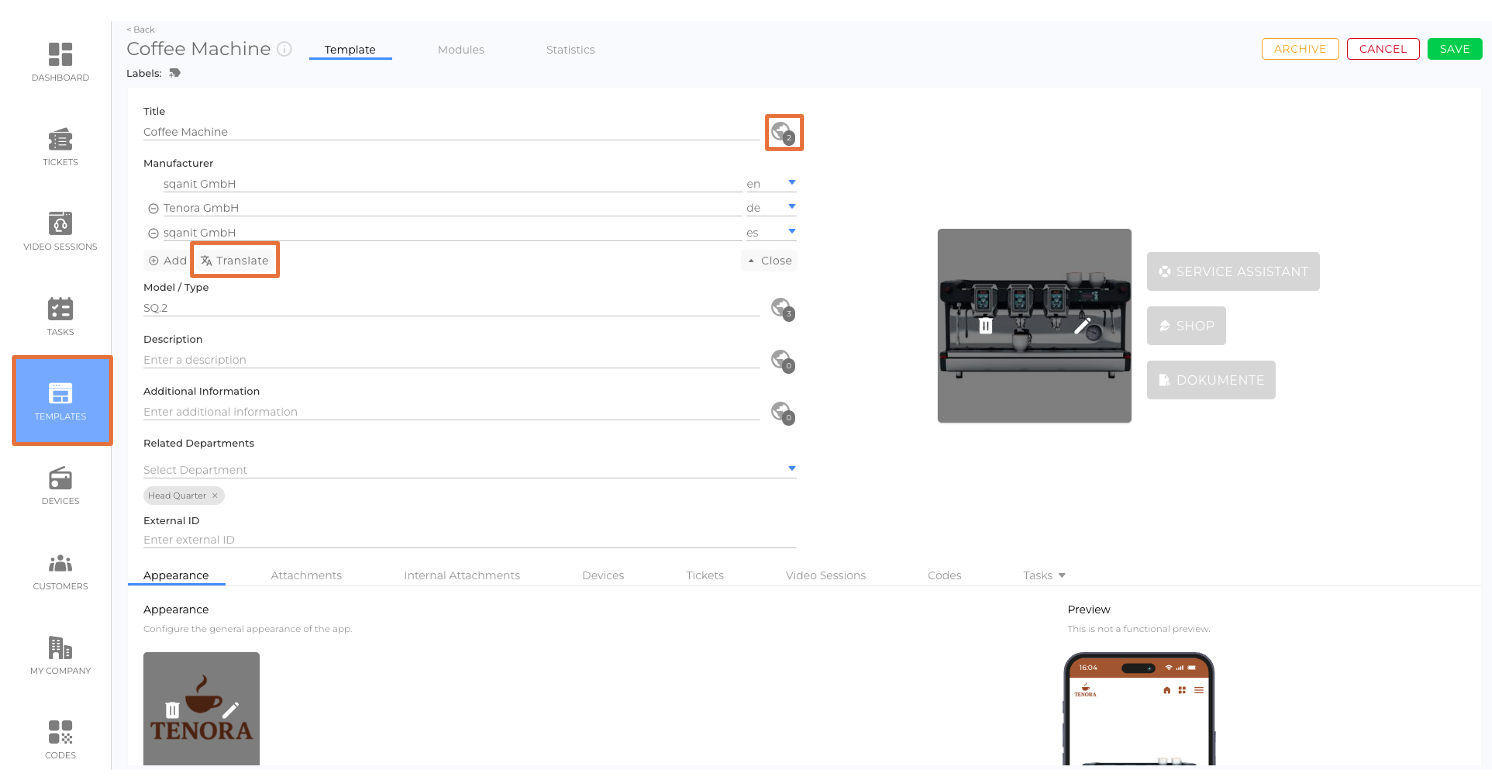
In Targeted mode, users can translate individual text fields within the context of a view.
This mode is only available when the view is in edit mode.
Translation Interface Options
In both translation modes, clicking the Translate button opens the translation interface.
The interface provides four translation options:
- Add
Adds a new translation while preserving any existing translations. - Replace
Replaces existing translations of the selected target language with a new translation. - Copy
Copies the content from the source language directly into the target language without translation. - Remove
Removes an already added target language.
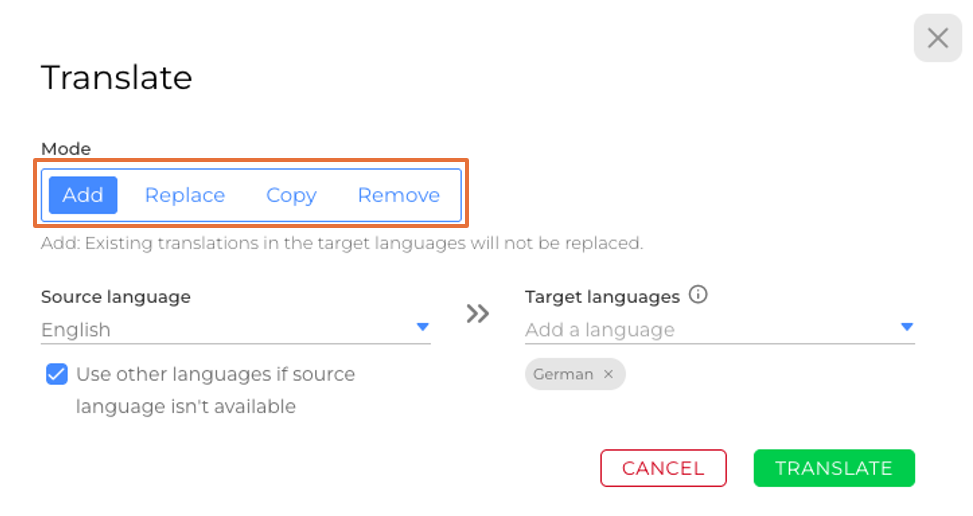
When using Add, Replace, or Copy modes, users can enable the option
“Use other languages if source language isn’t available”.
This allows the system to use alternative existing languages when the selected source language is unavailable.
Excluding Text from Translation
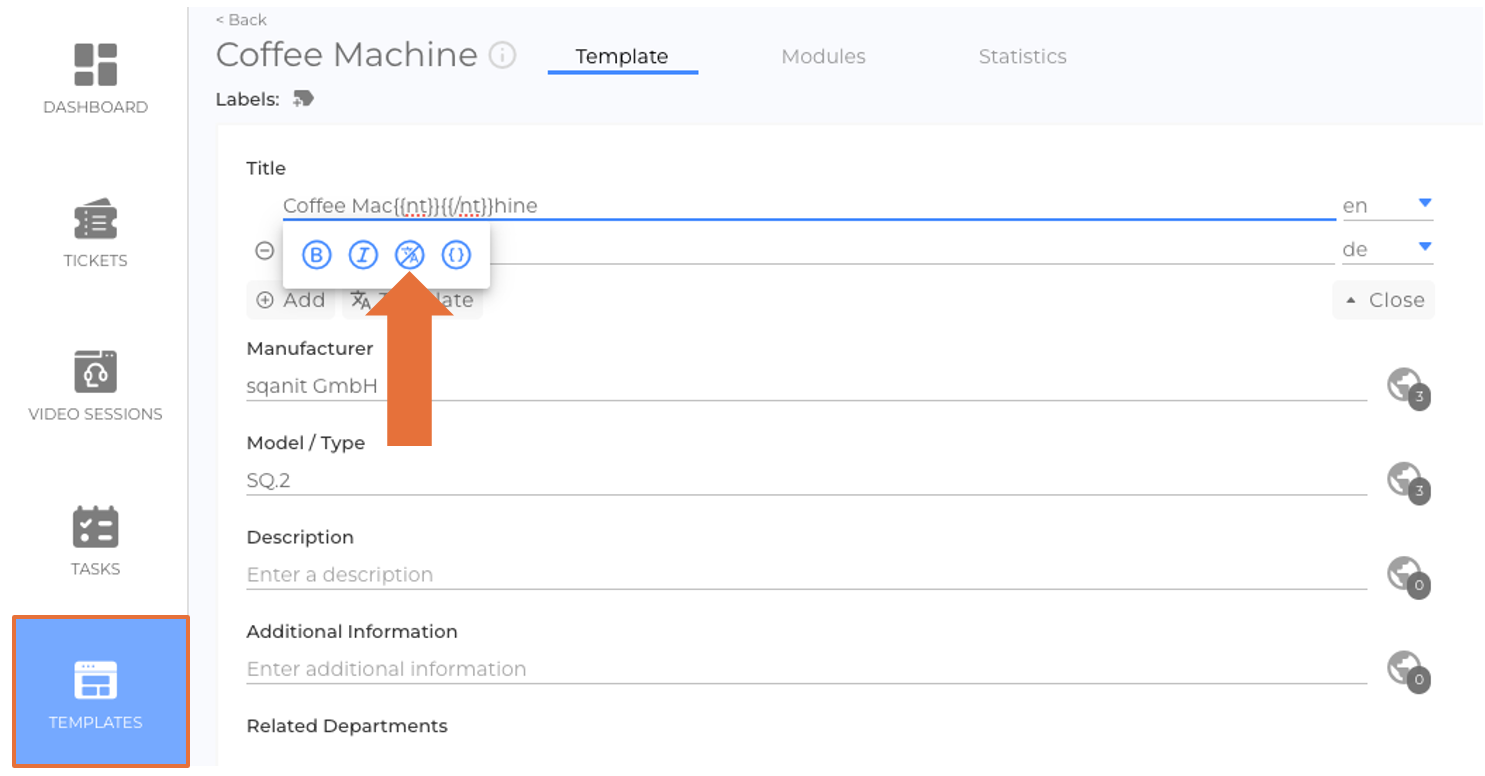
Users can exclude specific text from being translated by using the Don’t translate option.
To exclude text from translation:
- Switch to edit mode
- Click the localized language icon
- Highlight the text you want to exclude
- Click the Don’t translate icon button
 We use cookies on our website to give you the most relevant experience by remembering your preferences and repeat visits. By clicking “Accept All”, you consent to the use of ALL the cookies. However, you may visit "Cookie Settings" to provide a controlled consent.