Introduction
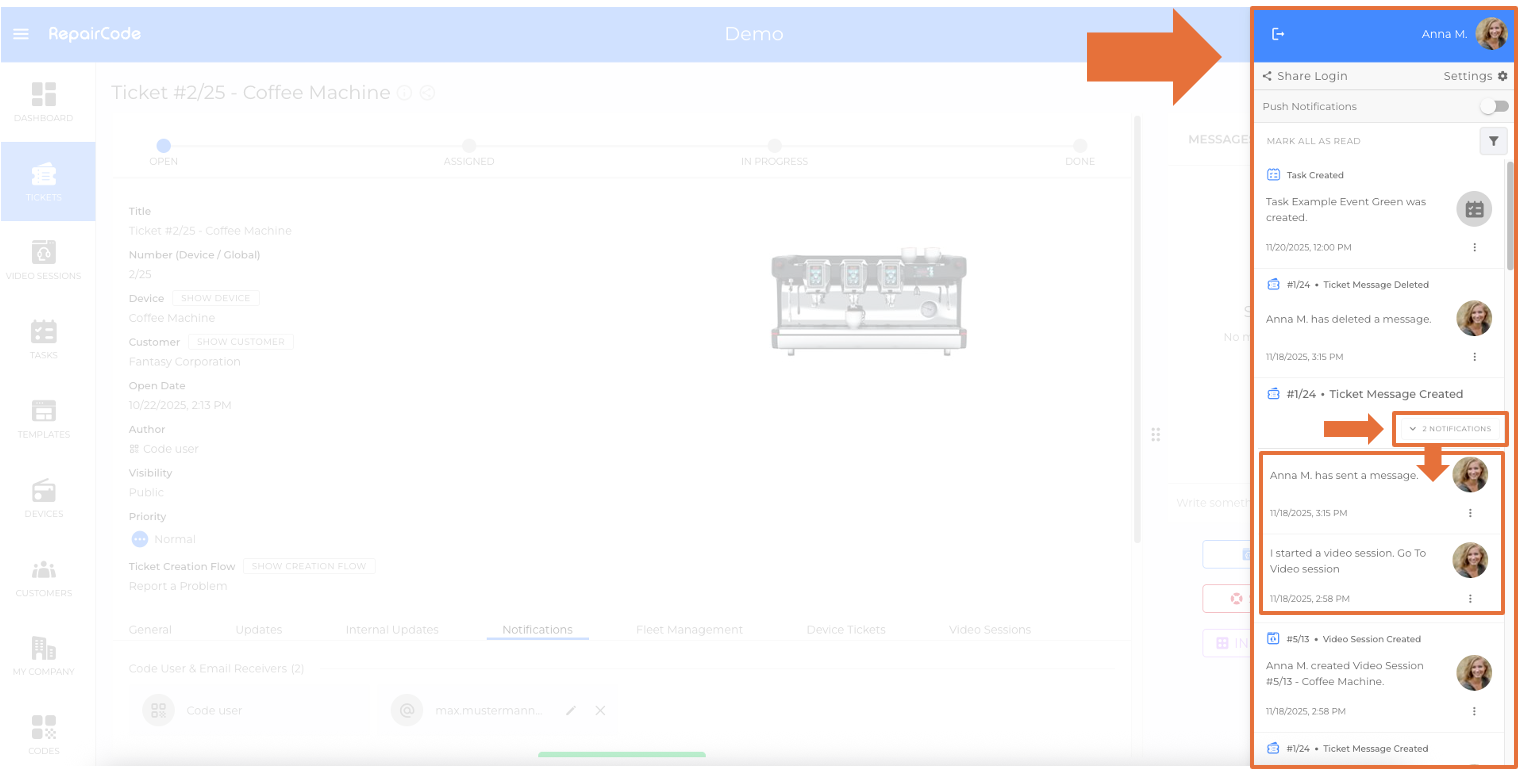
With Stacked Email Notifications, multiple emails of the same type (e.g., several messages about the same ticket) are grouped into a single conversation, provided the recipient’s email client supports conversation threading.
This reduces inbox noise and keeps related updates together for faster processing.
For general notification behaviour and routing, see the Notifications section in Ticketing.
Benefits
- Fewer individual emails in the inbox
- Clearer context: updates for the same ticket, video session, or task appear together
- Faster triage for busy teams
How it works
- Emails of the same type and context (e.g., messages on the same ticket) are automatically grouped by compatible email clients.
- Subject lines and mail headers are optimized to support conversation threading where possible.
- No extra setup is required in sqanit.
Supported email clients
Conversation view is widely supported by modern clients (e.g., Gmail, Outlook, Apple Mail).
Actual grouping behavior depends on the recipient’s client configuration and vendor rules.
Prerequisites
- None in sqanit: the feature is enabled by default.
- The recipient’s email client must have conversation/threading enabled.
Typical use cases
- Tickets: ongoing conversation and updates for the same ticket
- Video Sessions: invitations, reschedules, and status updates for the same session
- Tasks: status changes and comments on the same task
Good to know
- If a recipient disables conversation view, emails will appear separately.
- Unread counts reflect the email client’s handling of threaded messages.
- System will still send all necessary notifications; only the presentation in inbox is grouped.
Troubleshooting
- Emails not grouping: Check whether conversation view/threading is enabled in the recipient’s email client.
- Subject changed by gateway: Mail gateways that rewrite subjects may break threading; allow-list or adjust gateway rules.
Was this article helpful?
YesNo
 We use cookies on our website to give you the most relevant experience by remembering your preferences and repeat visits. By clicking “Accept All”, you consent to the use of ALL the cookies. However, you may visit "Cookie Settings" to provide a controlled consent.